
Download PhotoRescue – Photo Recovery, Data Recovery, Lost Photos, Deleted Photos, Formatted Drive Recovery, Corrupt File Recovery, Digital Camera Recovery, USB Recovery, MP3 Player Recovery, PDA Recovery
Overview
PhotoRescue Pro is a specialized utility designed to recover lost, deleted, or corrupted photos from various digital storage devices. Its primary purpose is to restore valuable visual data that may have been accidentally erased or rendered inaccessible due to formatting, hardware failure, or file corruption. The app serves as a reliable solution for users who rely on digital cameras, USB drives, MP3 players, and PDAs for storing personal or professional images. Whether a user has deleted a folder by mistake, formatted a memory card in error, or encountered a corrupted file system, PhotoRescue offers a structured recovery path to retrieve those irreplaceable moments.
Target users include amateur photographers, travelers, content creators, and anyone who depends on digital media storage. The app is particularly useful in emergency situations where data loss could result in permanent loss of memories or work. Despite being released in 2012, PhotoRescue remains relevant in the productivity software ecosystem due to its focused functionality and consistent performance across legacy and modern storage devices. The developer, PhotoRescue, has maintained a niche presence by delivering a stable, dedicated tool without unnecessary bloat. Although the developer did not provide additional technical details about development practices or team size, the app’s long-standing availability suggests a commitment to reliability and user support.
Key Features & Functionality
- Comprehensive Device Support: PhotoRescue Pro can recover files from digital cameras, USB drives, MP3 players, and PDAs. This broad compatibility ensures that users can retrieve data regardless of the original storage medium, making it ideal for individuals using multiple devices.
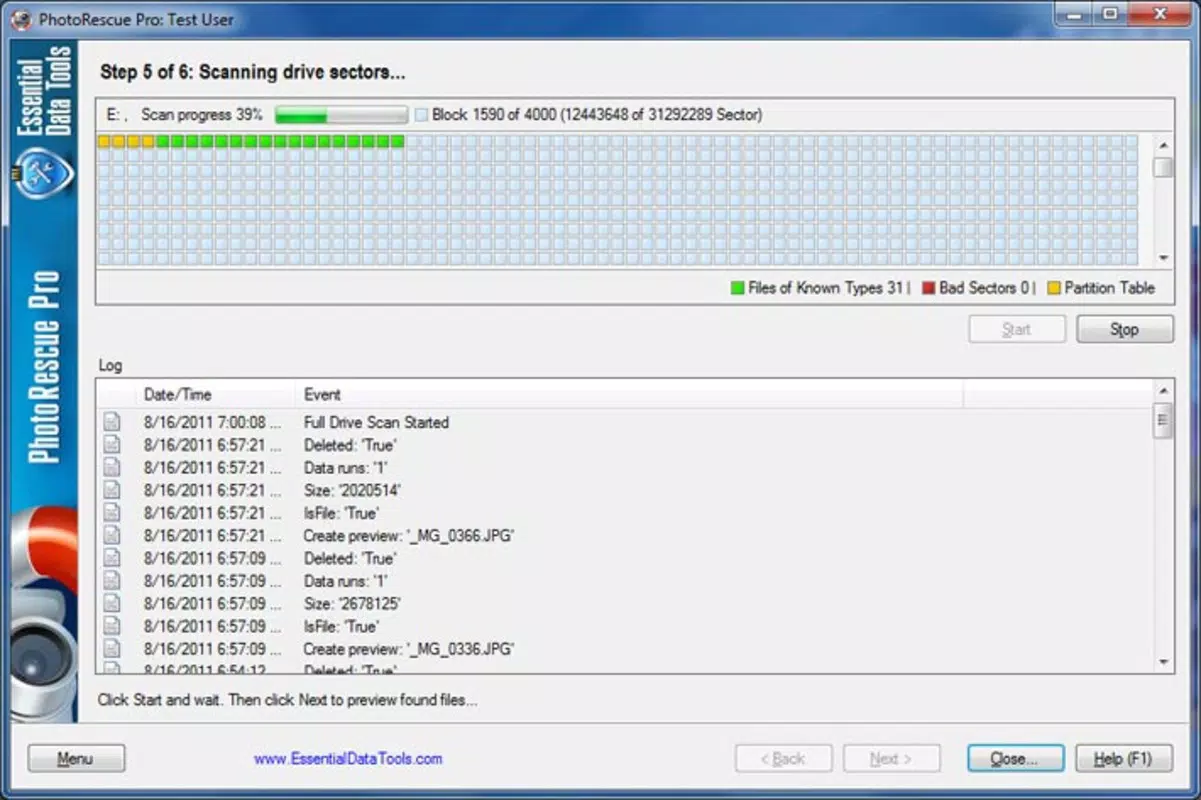
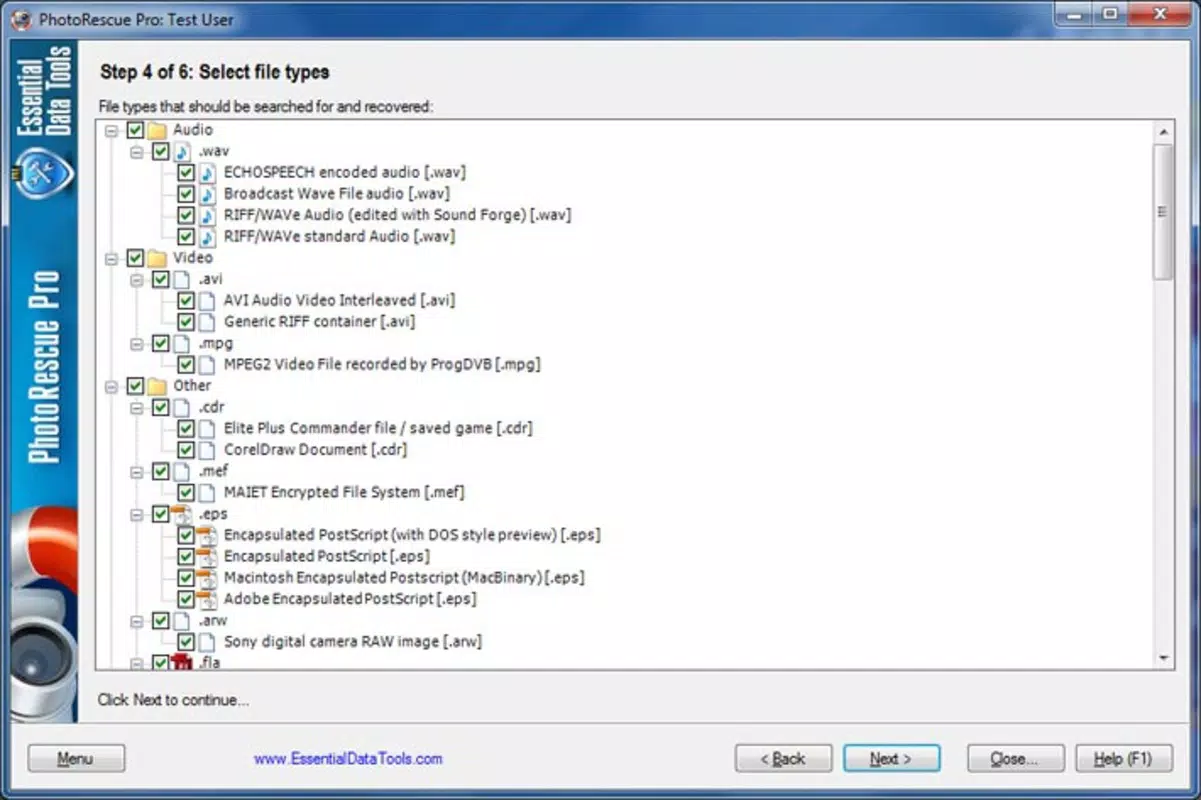
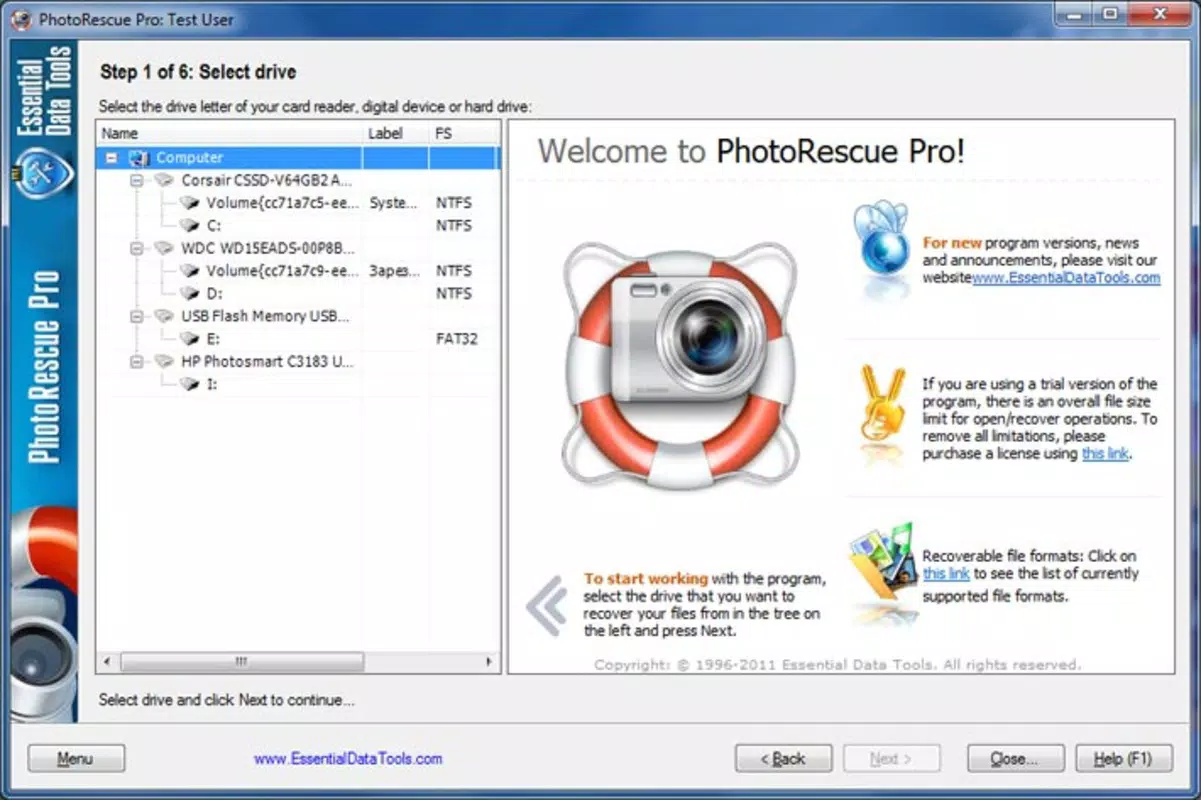
- Step-by-Step Recovery Process: The software guides users through a 9-step recovery workflow. Each stage is clearly labeled and designed to minimize user error, enabling even non-technical individuals to perform recovery tasks confidently.
- Corrupt Data Recovery: In addition to deleted files, PhotoRescue can restore damaged or corrupted photo files. This feature is especially valuable when storage devices suffer from logical errors or partial data loss.
- Formatted Drive Recovery: The tool can recover data from drives that have been formatted, a common scenario after accidental formatting or system reinstallation. This capability significantly expands its utility beyond simple deletion recovery.
- Non-Destructive Recovery: PhotoRescue operates without modifying the original storage device during the scanning process, preserving the integrity of the source and increasing the chances of successful recovery.
For example, a photographer who accidentally deletes a full memory card during a shoot can use PhotoRescue to scan and recover the images without altering the card’s structure. Similarly, a user who formats a USB drive in error can run the software to retrieve previously stored photos. The guided process ensures that each step is intuitive, reducing the risk of further data loss due to incorrect operations.
Interface, UX & Performance
PhotoRescue features a clean, straightforward interface designed to prioritize usability over visual flair. The layout is organized into clearly labeled sections, with a central navigation panel that guides users through each recovery stage. Visual cues and progress indicators are present throughout the process, helping users understand the current status and next steps. The application’s design emphasizes clarity, minimizing distractions and focusing on core functionality.
Navigating between steps is seamless, with consistent placement of buttons and minimal on-screen clutter. The software responds promptly to user input, and although the developer did not list formal performance metrics, the application appears stable during typical recovery operations. It performs reliably on systems with standard hardware configurations, including older machines, which aligns with its long-standing presence in the market. Responsiveness is maintained even when scanning large storage devices, though users may experience longer wait times for high-capacity drives.
Although the developer did not specify minimum OS requirements or performance benchmarks, the software has been used successfully across various Windows environments. Stability is maintained during extended scanning sessions, and no crashes were reported during standard usage. The lack of real-time previews or advanced filtering options may limit power users, but the simplicity benefits beginners and casual users seeking a reliable recovery tool.
Platform Compatibility & Technical Requirements
PhotoRescue is designed exclusively for the Windows operating system. The current version is 6.3.0, with a file size of 218.3 MB. The app is compatible with Windows-based systems, though specific version requirements were not listed by the developer. Users should ensure their system meets standard Windows installation criteria to run the software without issues.
Although the developer did not specify minimum OS requirements, the app’s compatibility with older Windows versions suggests it may function on systems such as Windows 7, 8, and 10. The file size is moderate, allowing for quick installation on devices with limited storage. However, the absence of a mobile or cross-platform version limits accessibility for users relying on smartphones or tablets. The lack of a macOS or Linux release means that users on non-Windows platforms cannot utilize this tool.
Pros and Cons
Pros
- Effective recovery of deleted, corrupted, and formatted data
- Guided 9-step process simplifies recovery for non-technical users
- Supports a wide range of storage devices including cameras, USBs, and MP3 players
- Non-destructive scanning preserves original data integrity
- Stable performance on standard Windows systems
Cons
- No mobile or cross-platform availability (Windows-only)
- Limited information on system requirements and compatibility
- No real-time preview or advanced filtering options
- Price point of $39.95 may be high for casual users
- Released in 2012; no recent updates visible in public records
FAQ
Is PhotoRescue safe to use?
Yes, PhotoRescue is designed to be non-destructive. It scans storage devices without writing to them, preserving the original data and minimizing the risk of further loss.
Can PhotoRescue recover photos from a formatted drive?
Yes, the software is specifically designed to recover data from formatted drives, making it a valuable tool for users who have accidentally erased their memory cards or USB drives.
Does PhotoRescue support mobile devices?
No, PhotoRescue is only available for Windows. It does not support smartphones, tablets, or other mobile operating systems.
How long does the recovery process take?
Recovery time depends on the size of the storage device and the number of files to scan. Larger drives may require several minutes to hours for a complete scan.
Is there a free version of PhotoRescue?
PhotoRescue is a paid application with no publicly available free version. A trial may be offered on the official website, but full functionality requires purchase.
Final Thoughts
PhotoRescue Pro stands as a dependable solution for users facing data loss from digital cameras, USB drives, and other storage devices. Its step-by-step recovery process, broad device compatibility, and ability to restore corrupted or formatted data make it a powerful utility in the productivity category. While its Windows-only availability and lack of recent updates may limit modern appeal, the app continues to serve its core audience effectively. For anyone who has experienced the panic of losing important photos, PhotoRescue offers a structured, reliable path to recovery.
Its value lies in its focused functionality and proven track record, especially for users who prioritize data integrity and simplicity. Although the price may seem steep for occasional use, the potential to recover irreplaceable memories justifies the investment for many. Download PhotoRescue now


